2026 International Spring Forum
April 15, 2026 | 12:00 PM EST
Continuing Education
NCODA is committed to providing professional continuing education to oncology practitioners in formats that are accessible, functional, diverse, and address current practice needs. The Continuing Pharmacy Education (CPE) program aims to provide members with opportunities for lifelong learning and assistance in fulfilling their maintenance of certification and licensure requirements, thereby promoting excellence in the provision of oncology pharmacy care.
Share
NCODA is accredited by the Accreditation Council for Pharmacy Education (ACPE) as a provider of continuing pharmacy education.
NCODA is proud to be accredited by the Accreditation Council for Pharmacy Education (ACPE) as an approved provider of continuing pharmacy education. This accreditation reflects our commitment to

delivering high-quality, evidence-based educational programming that supports the professional development of pharmacists and enhances patient-centered oncology care. Through ACPE-accredited activities, NCODA ensures that pharmacy professionals have access to the knowledge and skills they need to stay current in a rapidly evolving field.
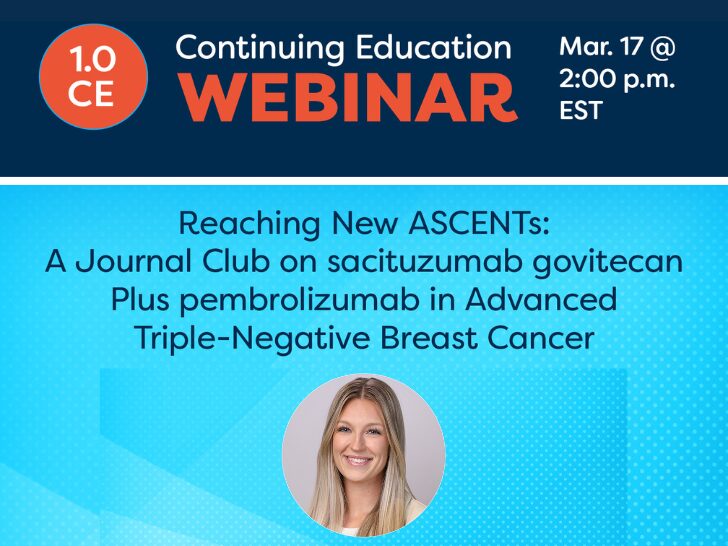
Available NCODA Continuing Education (CE)
Virtual Course
Health Care Resource Utilization + Costs in DLBCL Patients Receiving CAR T-Cell Therapy
January 30, 2026
Login to Access
Virtual Course
Virtual Course
Virtual Course
Navigating Patient Advocacy: Collaborating to Advance Support of Oncology Patients – On Demand (2025 NCODA International Fall summit)
January 30, 2026
Login to Access
Virtual Course
Reimagining CAR-T: The Outpatient Evolution – On Demand (2025 NCODA International Fall summit)
January 30, 2026
Login to Access
Virtual Course
Lived Experience, Lasting Impact: Survivor Driven Solutions for Patient Centered Care – On Demand (2025 NCODA International Fall summit)
January 29, 2026
Login to Access
Virtual Course
Addressing Sexual Health in Cancer Care – On Demand (2025 NCODA International Fall summit)
January 29, 2026
Login to Access
Virtual Course
Pathway to Excellence: Advancing Professional Growth for Pharmacy Technicians – On Demand (2025 NCODA International Fall summit)
January 29, 2026
Login to Access
Virtual Course
Geriatric Oncology: Wisdom, Wellness and Personalized Cancer Care – On Demand (2025 NCODA International Fall summit)
January 29, 2026
Login to Access
Virtual Course
Pancreatic Cancer Pathways: Integrating Nursing, Navigation, and Nutrition Across the Care Continuum – On Demand (2025 NCODA International Fall summit)
January 29, 2026
Login to Access
For questions about NCODA’s continuing education activities, please contact Tahsin Imam, PharmD, Manager of Clinical Initiatives.

A Community Like No Other
A hallmark of NCODA practices is the camaraderie and support provided across the network. Not only do we support our member practices, but they support one another. Together, we’re working towards implementing quality systems that enhance a patient’s oncology journey using oral therapies.
To access NCODA’s Continuing Education Library, join with a complimentary membership today.
Become a MemberFrequently Asked Questions
Find answers to the most common questions about NCODA’s Continuing Education (CE) activities. CE is available complimentary to all NCODA members.
- Visit https://www.ncoda.org/ce/ and scroll down until you see “Available NCODA CE are listed below.”
- You may search for a CE title using the search bar or scroll down the list of CEs until you find the CE you are looking for.
- Click the CE you want to complete
- Then, towards the left side of the screen, you will see a QR code and a blue button that states, “Register.”
- Click on the blue “Register” button to begin working towards obtaining CE credit for your selected CE
- Alternatively, you may use a mobile device to scan the QR code, which will redirect you to register for the CE and complete all CE requirements through LecturePanda.com (NCODA’s CE Learning Management System).
- Live CE activities occur at a scheduled date and time and are delivered in real time (e.g., via webinar). Learners must attend the session live and complete all required CE components to receive credit.
- On-demand (enduring) CE activities are recorded versions of previously offered live programs. These activities can be completed at any time during their availability period. Learners must view the full CE recording and complete all required CE components to receive credit.
- First, click on the CE activity you are interested in.
- Then click on the blue “Register” button, which will open a new tab that takes you to lecturepanda.com.
- Select what best describes you (Pharmacist, Pharmacy Technician, Nurse, Advanced Practice Provider).
- Note: Each CE activity is designed for a specific target audience based on its learning objectives (i.e., not all CEs will be approved for all professions).
- Now, you will have to enter your full name, email address, and date of birth. If you are a pharmacist, you will need to enter your NABP e-ID, which can be found after logging into your profile on the NABP website (https://dashboard.nabp.pharmacy/#/login).
- After entering your information, you are now ready to begin working on all CE-related materials. Take a note of the 4 tabs towards the top (Materials, Credits, Evaluations, and Complete).
- Before accessing the course materials, you will have to first take the “Pre-Test.”
- You do not need to pass this pre-test; this is only to gauge your current understanding of the CE topic.
- After taking the pre-test, the course materials will be available for you to download, and you will be able to progress in Lecturepanda.
- For on-demand (or enduring) CE activities, you must watch the CE video recording in its entirety (green bar must completely fill the bottom of the video screen).
- After watching the CE video, click the bottom right green button that states, “Claim Credits.”
- You will be prompted to enter the CE code; CE code is disclosed within the CE video. Enter the CE code in the text box.
- Click the “Complete Evaluations” green button found towards the bottom right of the screen.
- You will need to complete: (1) CE Evaluation and (2) Post-test.
- After completing the CE evaluation and Post-test, click the green “submit” button towards the bottom right of the screen.
- You have now successfully completed the CE activity, and your credits will transfer automatically to the appropriate accrediting body of your profession.
- Feel free to click the gray “Download Certificate” tab if you would like to keep it for your records.
- For live CE activities, after taking the pre-test, you will be able to download the materials (CE presentation) and enter the CE code. You will also see a long blue tab that states, “Join the Webinar”, which will direct you to log into the live CE webinar.
- After the live CE session is complete, in Lecturepanda, enter the CE code and then click the green button towards the bottom right of the screen that states “Complete Evaluations.”
- You will now have to complete: (1) CE Evaluation and (2) Post-test.
- After completing both, click the green “Submit” button towards the bottom right of the screen.
- You have now successfully completed the CE activity, and your credits will transfer automatically to the appropriate accrediting body of your profession.
- Feel free to click the gray “Download Certificate” tab if you would like to keep the certificate of completion for your records.
Yes. To receive CE credit, learners must successfully complete and pass the post-test, in addition to completing the evaluation and submitting the CE code. Passing criteria will vary depending on the CE activity, however, there are no limits to how many times you can take the post-test if you do not pass.
Yes. On-demand CE activities may be completed at your own pace. However, the full CE video must be viewed in its entirety before credits can be claimed.
Each CE activity is accredited for specific professions based on its learning objectives. If your profession is not listed, the activity is not accredited for that audience, and CE credit cannot be awarded for that profession.
- If the course is accredited for continuing pharmacy education (CPE) credit, and you are a pharmacist or a pharmacy technician, your CE credits will automatically transfer to your CPE Monitor profile within 24 hours following completion.
- Copy and paste the following link into your web browser to access CPE Monitor: https://nabp.pharmacy/programs/cpe-monitor/.
- Log in to your CPE Monitor account and access your Transcript.
- Note: your transcript contains courses from all CE providers, not just NCODA).
- For any questions or concerns, please reach out to Tahsin Imam, PharmD (Tahsin.imam@ncoda.org)
We know schedules can be busy—and that’s okay! If you’re unable to attend a live CE course, most NCODA live CE activities are converted into on-demand (enduring) CE opportunities. This allows you to participate and earn CE credit at a time that works best for you, while still accessing the same high-quality educational content covered during the live program.
All CE requirements (LecturePanda pre-test, post-test, CE evaluation, and submission of the CE code) must be completed in Lecture Panda within 60 days of the live CE activity date.
Individuals who are outside the United States or who are not one of the professions listed for a CE activity may still receive a certificate of credit. After successfully completing all LecturePanda CE requirements, you may print your certificate of credit by clicking “Download Certificate.”